
Optional SMS consent — Reef and Rig LLC
Test site only. Login/account-code sending is approved for sandbox use; booking/trip texts remain disabled pending separate campaign approval.
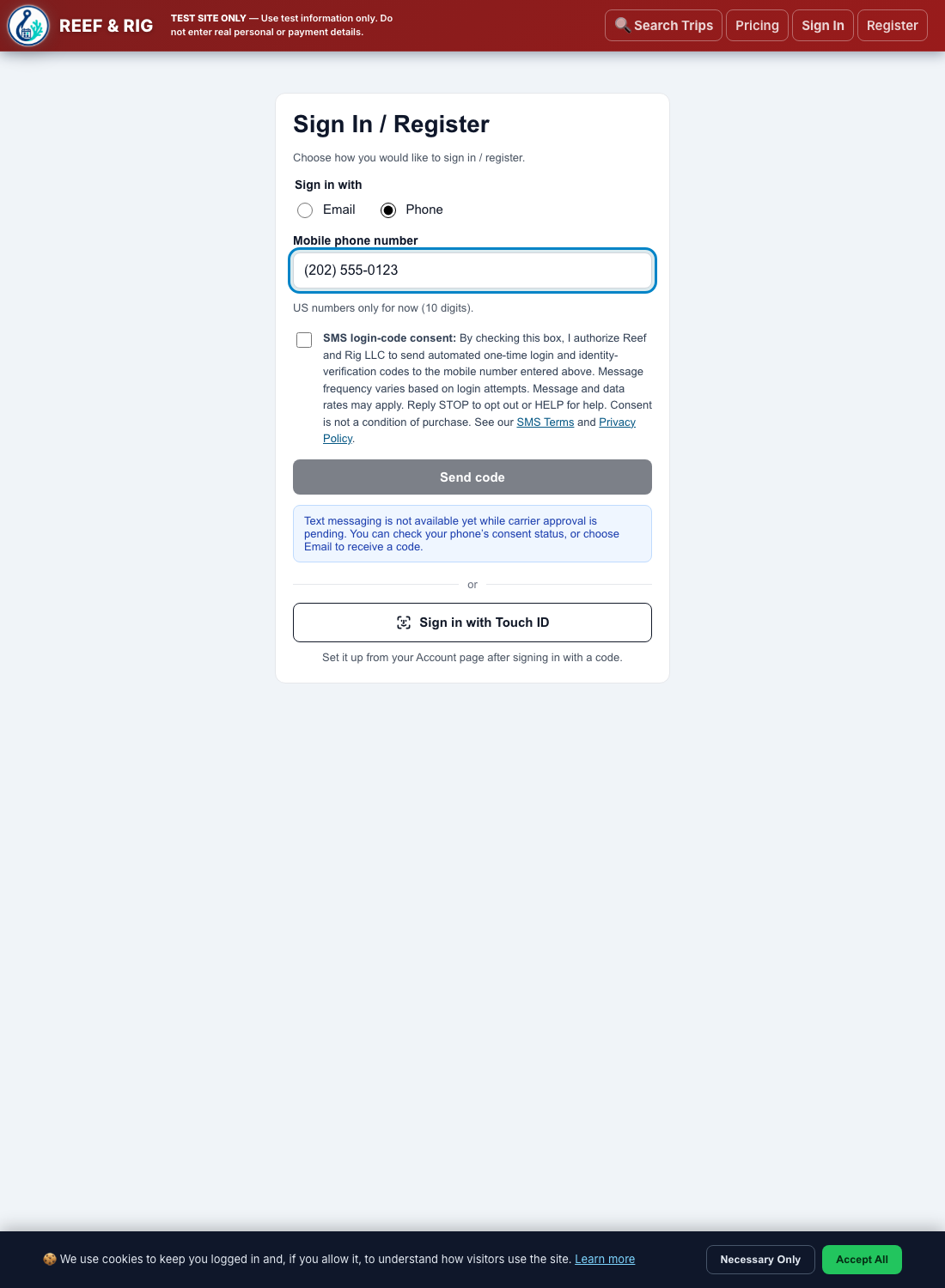
Login/account-code consent is collected when you first choose phone-code sign-in; the checkbox is hidden for an already verified, opted-in number. You may instead use email or a registered passkey. Separate booking/trip consent is collected in your signed-in Account. Both options are unchecked for new enrollments; neither is a condition of purchase or booking.
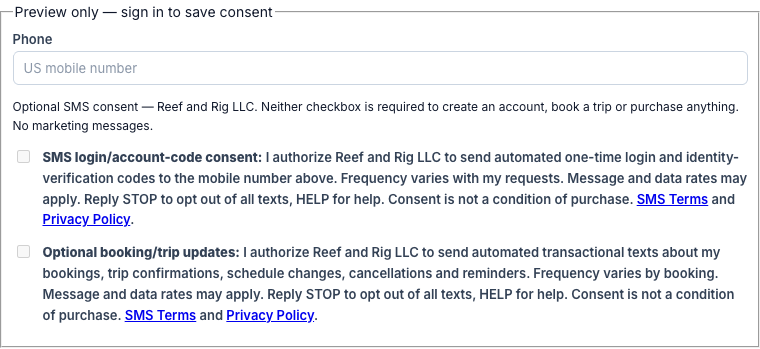
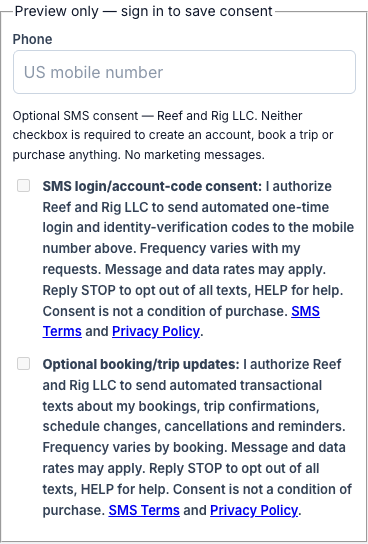
This disabled preview uses the actual Account checkbox disclosures. It does not enroll anyone, verify a number or save anonymous consent. Use your signed-in Account to save choices. You can always withdraw either consent; verify an email or register a passkey before removing your only login method to avoid losing access.
Booking/trip campaign screenshots
Current screenshots of the public, disabled opt-in preview above. The booking/trip checkbox starts unchecked and is independent from login-code consent. Preview screenshots do not record consent or enable messaging; booking/trip SMS remains gated until its separate campaign is approved and configured. No customer data is shown.
Open desktop screenshot · Download desktop PNG · Open mobile screenshot · Download mobile PNG
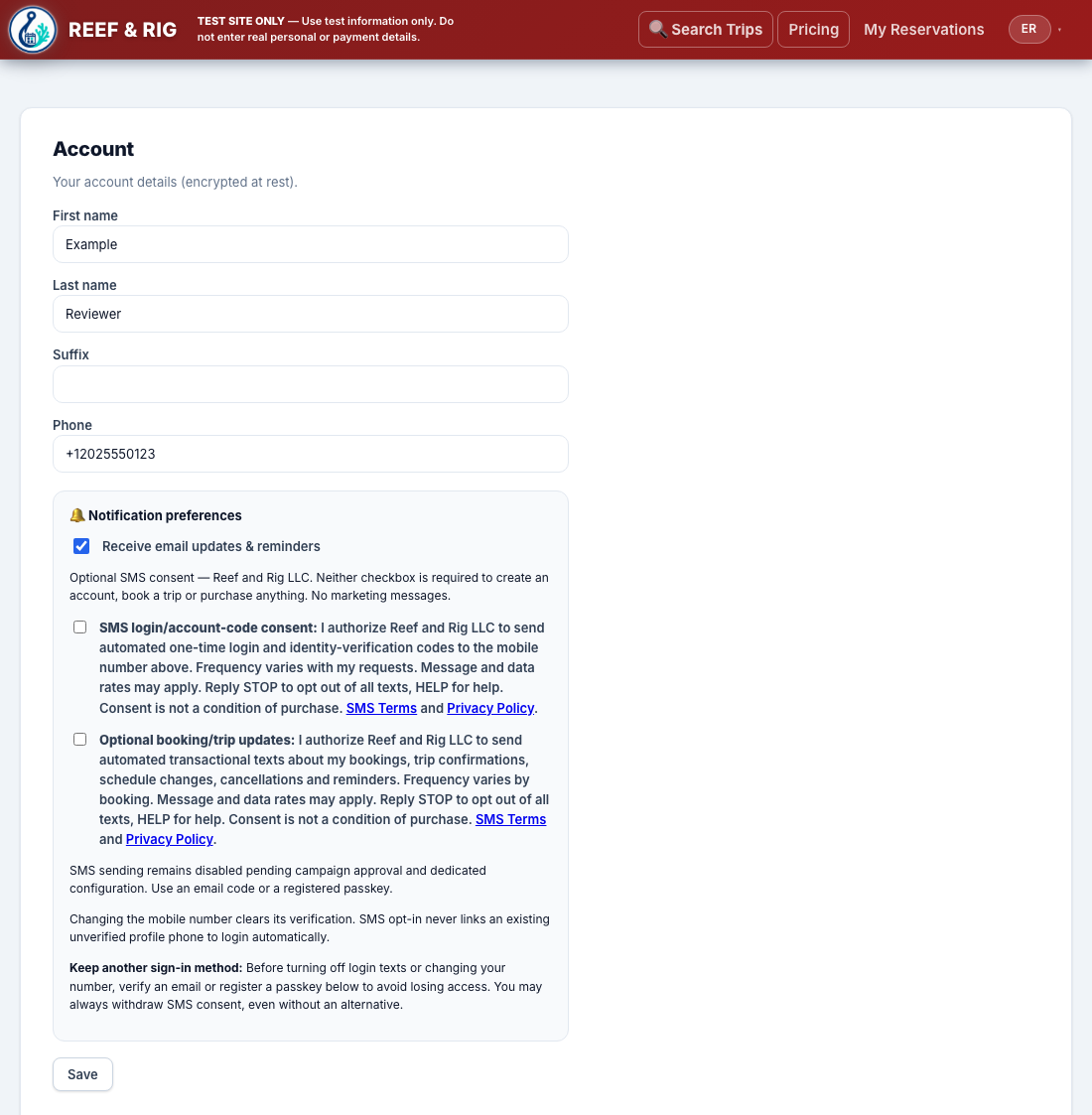
Authenticated Account screenshot — earlier reviewer evidence
Captured from the authenticated sandbox Account with a controlled fictional profile before the login-code campaign was approved. Both SMS choices are unchecked. It documents the saved-consent controls, not current sender availability. Current booking/trip opt-in screenshots appear above. No real customer data is shown.
Open full-size Account screenshot (no login required) · Download Account PNG
Login phone-code opt-in screenshot
A fictional example number is shown without requesting a code. Open full-size Login screenshot · Download Login PNG.
No marketing messages. Read the SMS Terms and Privacy Policy before opting in. Support: scott@reefandrig.com.
Verify a delivered phone or email code before a new account is created. Then complete your name and choose Customer or Owner in Account. Phone-first signup does not require prior email registration. Existing accounts keep their activation requirements. Unverified profile numbers are never automatically linked, and accounts are never merged automatically.